Introducing ForgeCheck by Coris: Document Fraud Detection for Edits You Can't See
A bank statement can reconcile and still be edited underneath. ForgeCheck by Coris checks documents for tampering, AI-edited content and cross-file mismatches.
You’ll be the first to hear from us — straight to your inbox.
Oops! Something went wrong while submitting the form.
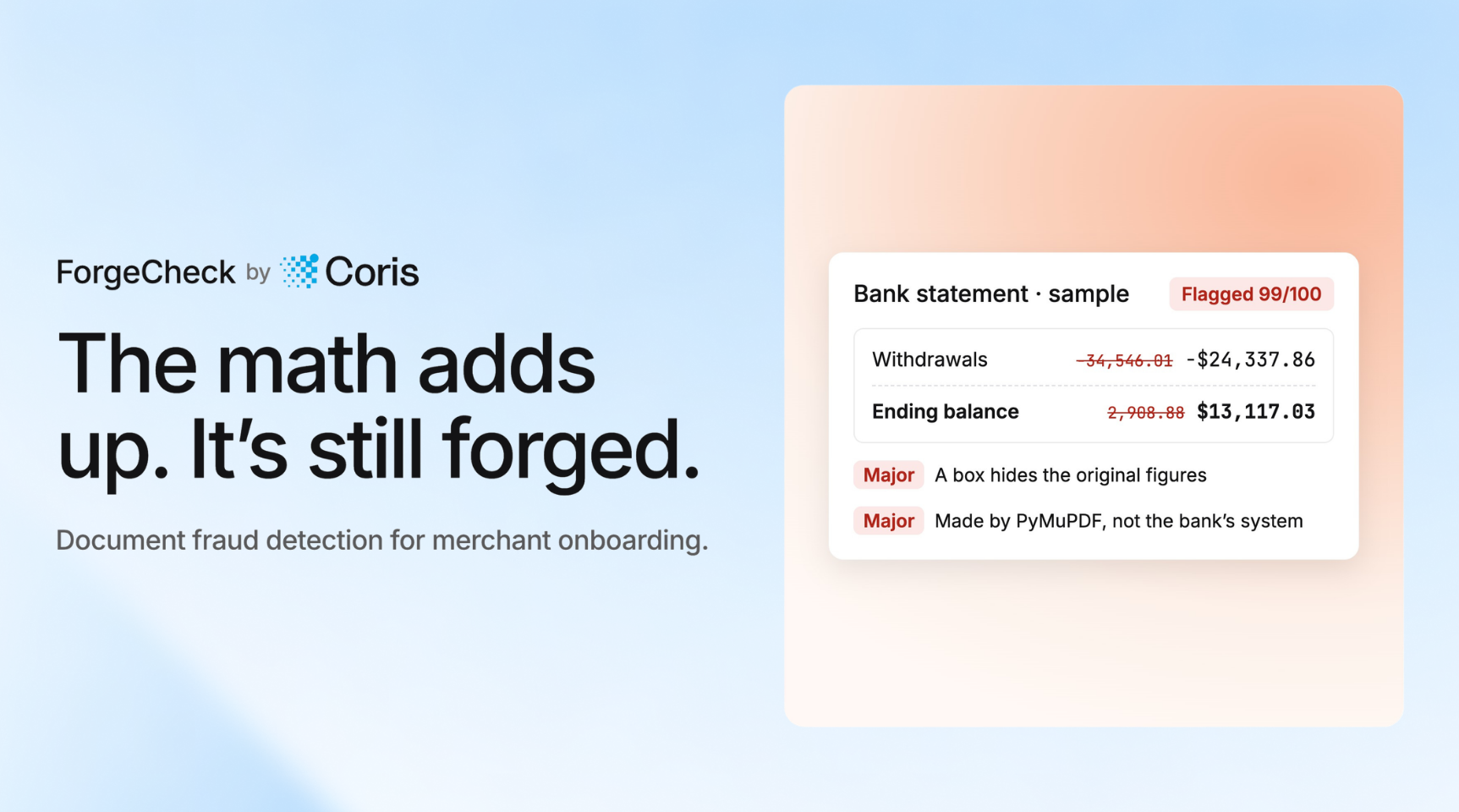
This bank statement shows an ending balance of $13,117.03. The original balance was $2,908.88. Every visible total still adds up.
That gap is the problem for merchant underwriting and risk teams. A document can reconcile on the page and still have been edited underneath. A reviewer checking balances and business details sees a clean statement and approves a merchant the numbers never supported.
Today, we're introducing ForgeCheck by Coris, a document fraud detection tool that checks business documents for signs of editing, AI-generated or AI-edited content, and inconsistencies across files.
See ForgeCheck in Action
Watch ForgeCheck check a sample bank statement, show the evidence behind a flagged result, and compare the documents in an onboarding application. The demo uses fictional sample documents and saved sample results. The red callouts in the video are added to illustrate what the findings describe.
In short, the video shows three things:
A bank statement whose visible totals reconcile, flagged 99/100.
Findings that explain what was found and what to do next.
An onboarding application where the voided check and bank statement don't match.
Why a Document That Looks Right Can Still Be Wrong
A document can pass a basic arithmetic check without being authentic.
In the ForgeCheck sample, the statement's visible figures reconcile: $2,848.28 beginning balance, plus $34,606.61 in deposits, minus $24,337.86 in withdrawals, equals $13,117.03. But the PDF still holds the original values under the edits. The withdrawals figure was -34,546.01, and the ending balance was $2,908.88. The difference is about $10,200 in withdrawals that no longer appear.
ForgeCheck surfaces the evidence in the file itself:
File history. The file was saved again after it was made, and the figure for withdrawals was added after the first save.
Hidden text. On pages 1 and 2, 455 characters of text can't be seen, next to the figures.
A box over the original. A box covers the old text, with new figures on top. The original text survives underneath.
Each finding is tagged Major or Minor and ends with a next step, such as asking the bank for the original file or selecting all text in a PDF reader to see what was covered. Reviewers get evidence to investigate, not a score to take on faith.
What ForgeCheck Checks
ForgeCheck reads the document, checks it for AI-generated or AI-edited content, pulls out key details such as names, dates and amounts, and checks the numbers and the file itself. You can check a single PDF, JPG or PNG, or a whole onboarding application. Most documents are checked in under a minute.
Every check ends with a clear verdict:
Clear
Needs review
Not original
Flagged
Checking an Application, Not Just a File
Onboarding applications arrive as several documents, and a mismatch between them can be the only visible sign. ForgeCheck checks each file, then compares them with each other for one combined result.
In the sample application, the voided check and the bank statement don't belong together. The business name differs, and the bank account ends in 2955 on the check and 8171 on the statement. ForgeCheck flags both for confirmation rather than calling them proof of editing. A business that banks with more than one account can explain a mismatch, so each finding says why it might be innocent, then tells the reviewer to confirm it with the merchant. That keeps analysts focused on what needs a human decision. For more on where document checks fit in onboarding, see Coris's guide to merchant onboarding.
Try It
Explore the sample results at forgecheck.app.coris.ai. No sign-up is needed to run the samples. To check your own documents, request access with your work email.